Registration & Linking Chains
1. Connecting Your Wallet
To get started, go to https://app.highstakes.ch and click the Connect button in the top-right header.
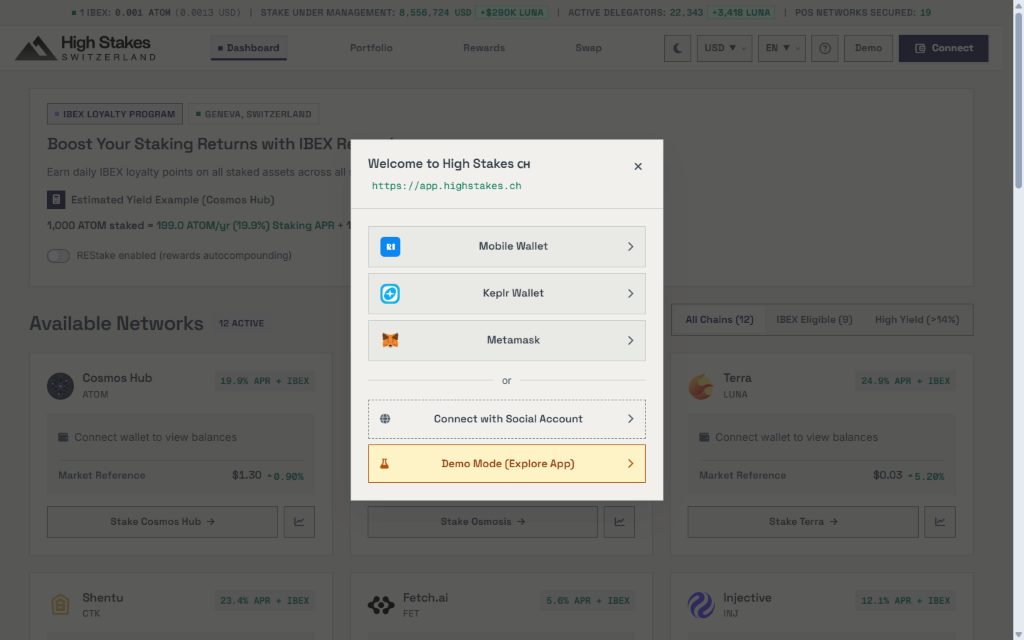
In the Welcome to High Stakes 🇨🇭 modal, choose your preferred connection method:
- Mobile Wallet: Connect any WalletConnect v2 / Reown-compatible mobile wallet via QR code or deep link.
- Keplr Wallet: Connect using the Keplr browser extension (supports Ledger hardware wallets, including Injective Ledger signing).
- Metamask: Connect using MetaMask via the Leap Cosmos Snap integration.
- Connect with Social Account: Sign in with a social account via Web3Auth.
- Demo Mode (Explore App): Explore the entire application with live sample delegations in read-only mode (also accessible directly via the Demo button in the header).
From the top-right header bar, you can switch between Light and Dark mode, choose your preferred display currency (USD, CHF, or EUR), and switch the interface language between English (EN) and French (FR).
2. Registering Your Wallet
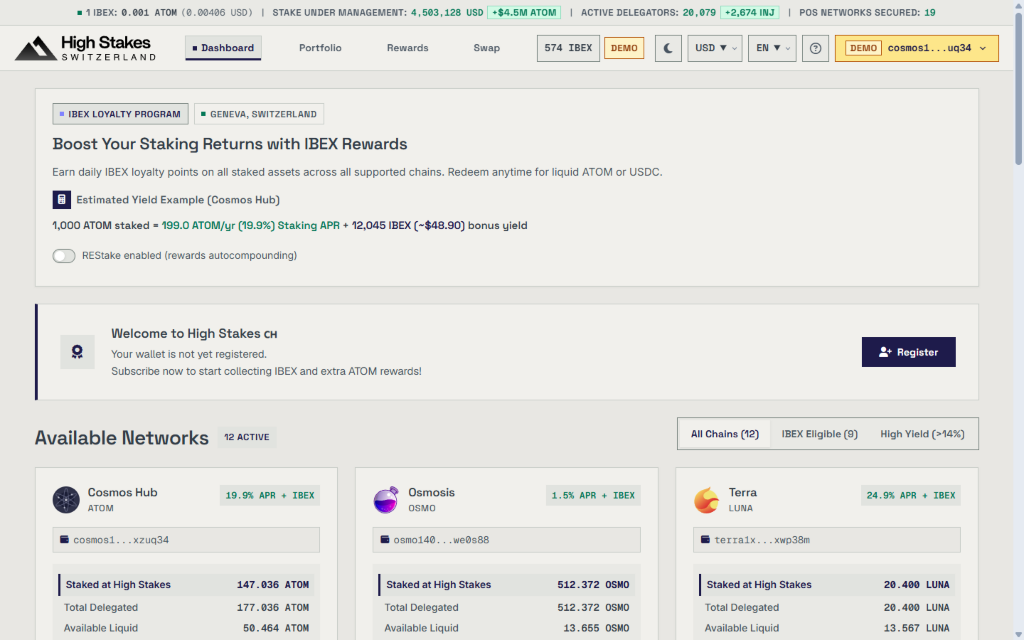
Once your wallet is connected, if it is not yet registered in the IBEX Loyalty Program, a Welcome to High Stakes 🇨🇭 registration banner appears below the IBEX Loyalty Program overview. Click the Register button to open the registration dialog.
In the Register your wallet modal:
- Review our Terms and Conditions.
- (Optional) If you have a referral code, enter it in the Got a referral code? field (if you arrived via a
?referralCode=...link, this field is pre-filled automatically). - (Optional) Complete the brief two-question survey to let us know why you chose High Stakes and how you heard about us.
- Click Register and approve the free off-chain ownership signature in your wallet.
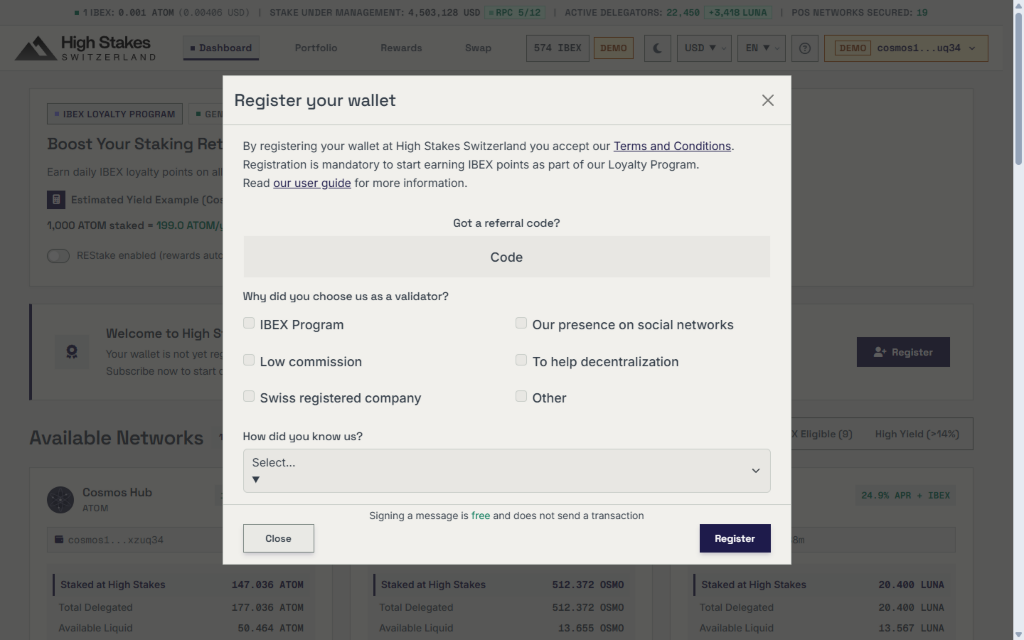
Signing an arbitrary proof-of-ownership message with your wallet is completely free, does not broadcast an on-chain transaction, and costs zero gas fees.
Once registered, the top banner turns green and displays your live IBEX Earning Activity status (registered, active or registered, inactive) along with your linked wallet count.
3. Enabling Networks & Linking Chains to IBEX
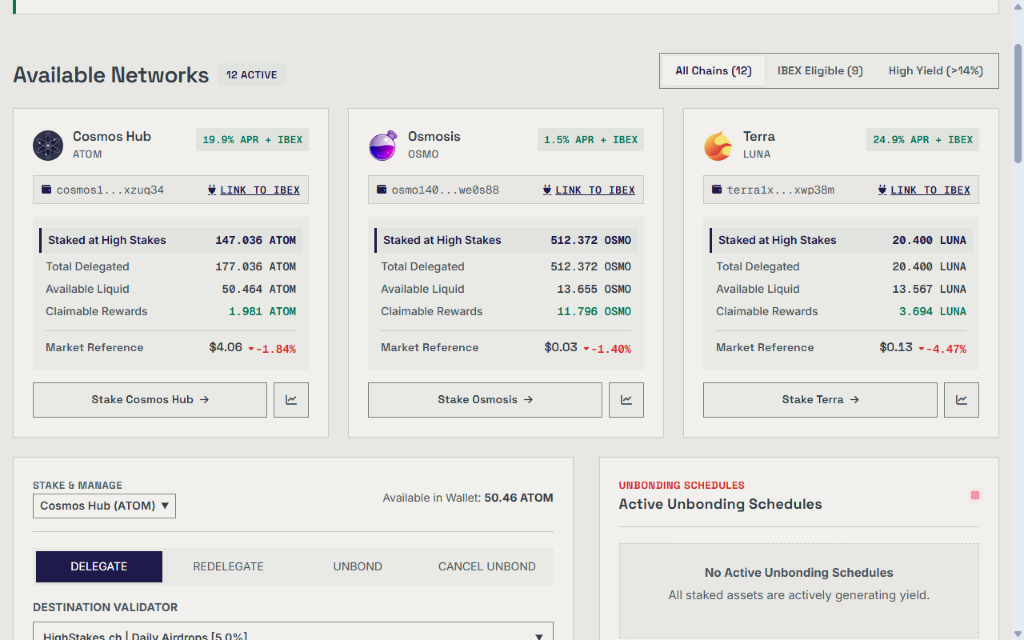
Below the status banner, the Available Networks section lists all 12 supported chains (with filter tabs for All Chains (12), IBEX Eligible (9), and High Yield (>14%)).
Enabling Additional Networks in Your Wallet
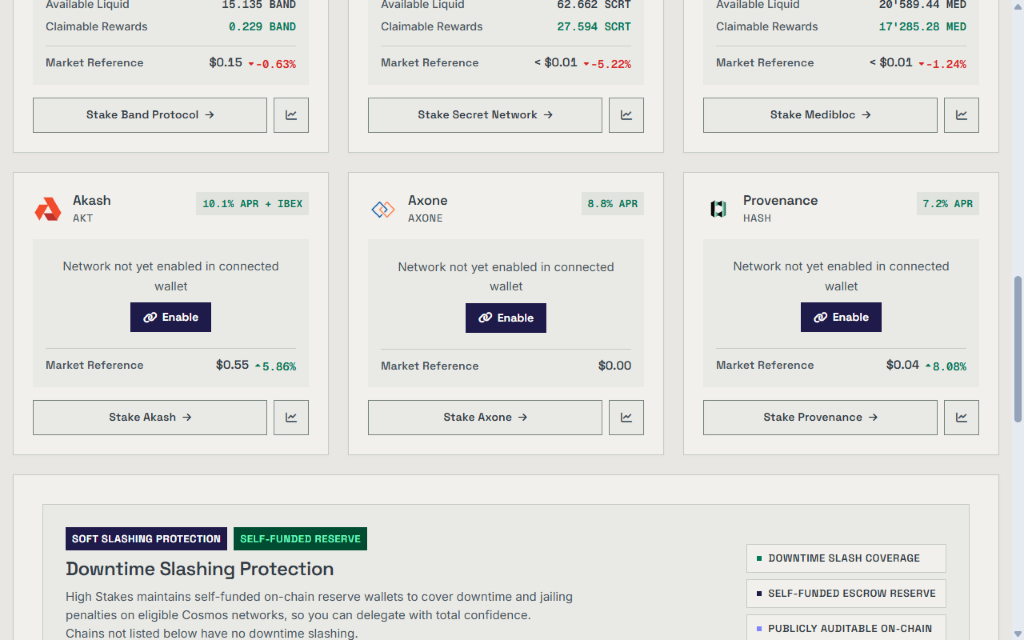
If a network is not yet enabled in your connected wallet (such as experimental or newly added chains like Akash, Axone, or Provenance), click the Enable button on its card and approve the connection request in your wallet to view your balances.
Linking IBEX-Eligible Chains (LINK TO IBEX)
To count your delegations on other IBEX-eligible networks (such as Osmosis, Terra 2.0, Secret Network, Injective, Fetch.ai, Band Protocol, Shentu, or Akash) toward your daily IBEX rewards:
- Locate the network card and click the
LINK TO IBEXbutton next to your wallet address. - In the Activate chain modal, click
Activate <Chain>. - Approve the dual proof-of-ownership signatures in your wallet (linking your chain address to your primary Cosmos Hub IBEX account).
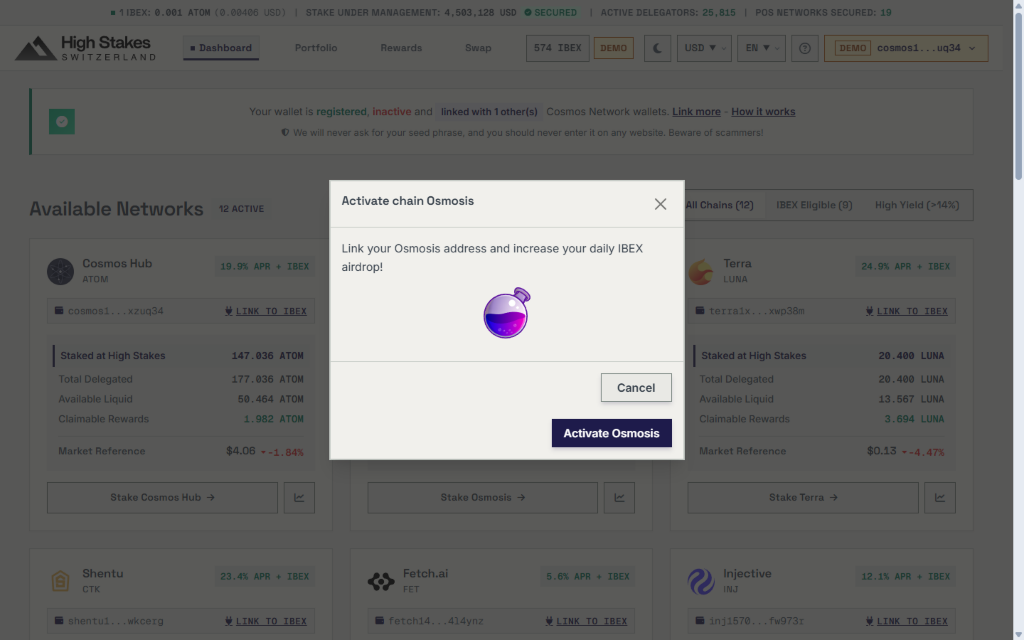
Once linked, the card displays a green LINKED badge, and your High Stakes delegations on that chain are automatically included in your daily IBEX calculation! 🎉
4. Staking Directly from the Dashboard
You can also delegate or manage your stake on any network directly from its card:
- Click
Stake <Chain>at the bottom of any network card to open the inline Stake Management Workstation right below the card row. - Choose DELEGATE, REDELEGATE, UNBOND, or CANCEL UNBOND, select your amount (or use the
25%,50%,75%,MAXpresets), and confirm the transaction.